
Understanding Scam Alerts
What a Scam Alert looks like, and what to do when you see one.
Last updated on 2 November 2026
When a message looks suspicious, AntiScam Pango shows a Scam Alert. It doesn't mean you've been scammed. It means: stop and check before you act.
In your notifications
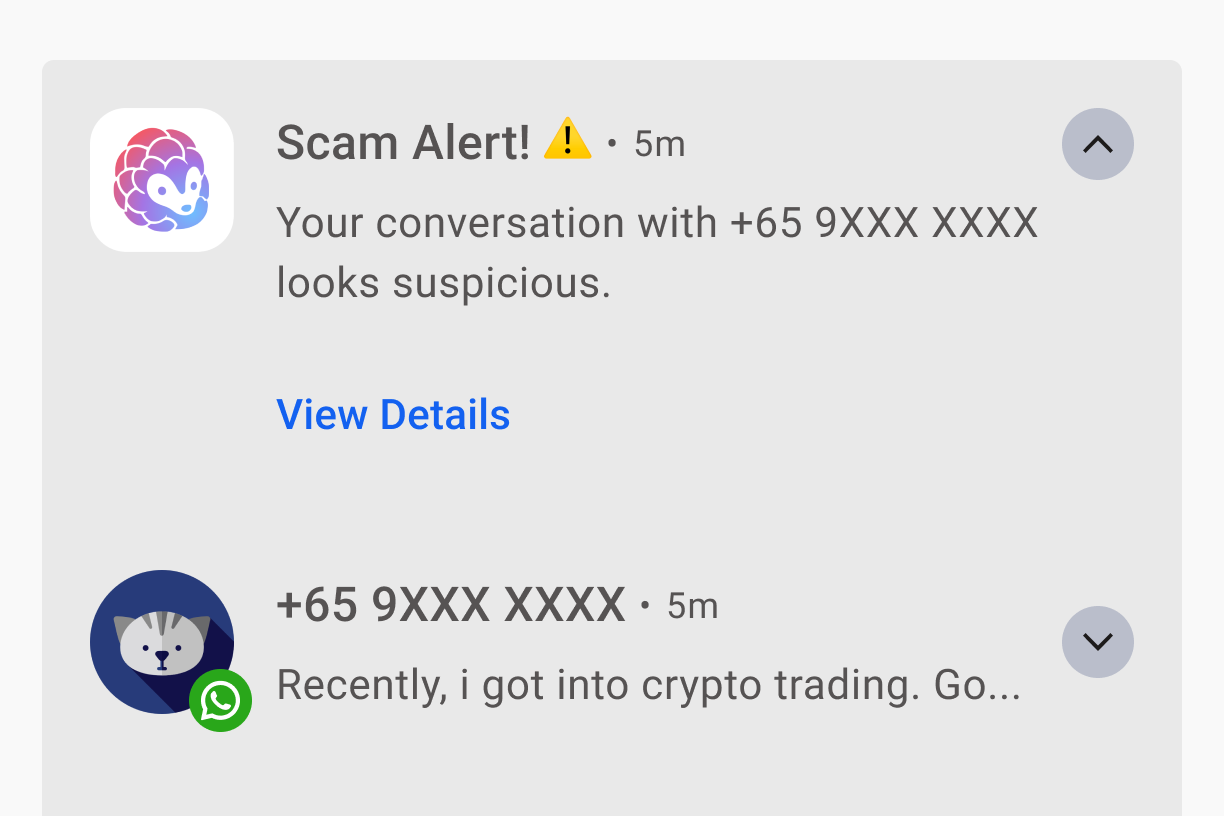
You'll get a notification titled Scam Alert! ⚠️. Tap View details to see why Pango flagged the conversation.
On your screen
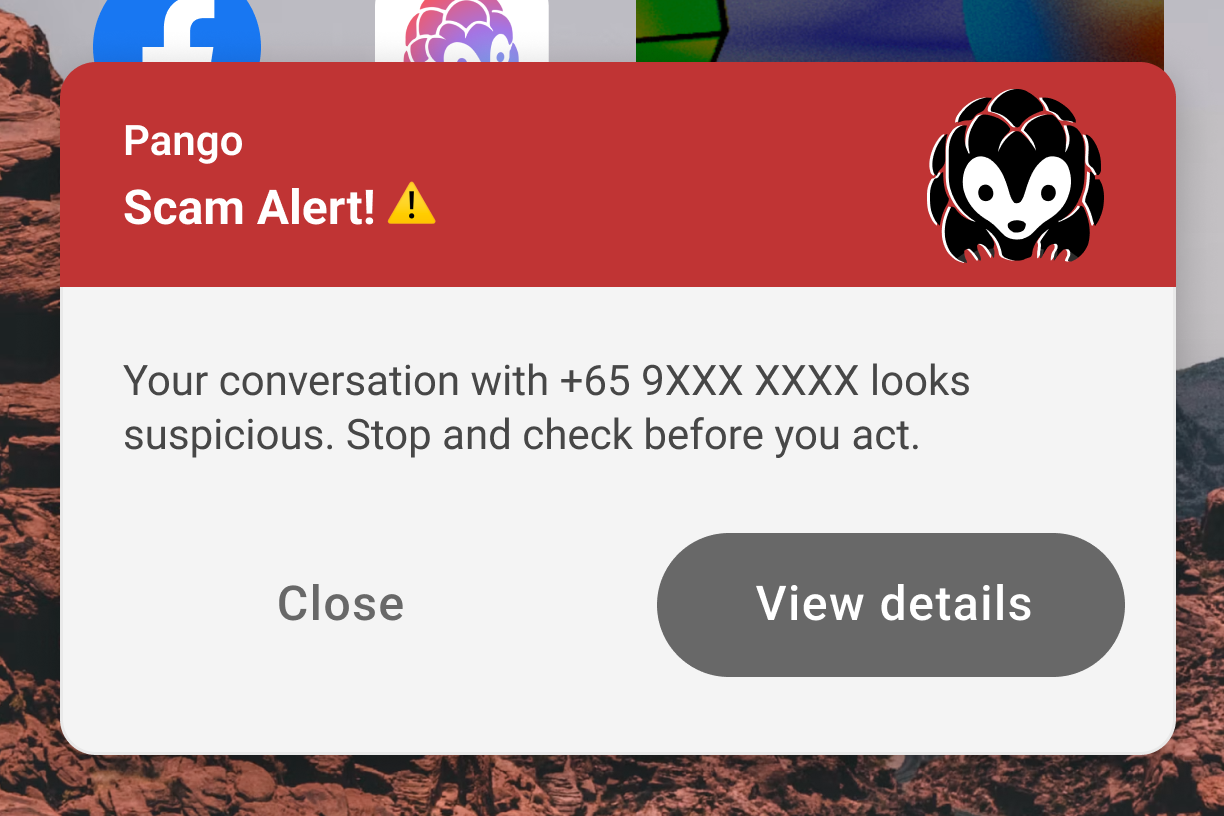
If you've turned on Get more obvious scam warnings, the Scam Alert also pops up on your screen, over whatever app you're using. Tap Close to close it, or View details to open the conversation in Pango.
In the app
Pango marks the conversation Suspicious and explains why under Why is this suspicious? This includes the type of scam it looks like and what to do. From here, you can Report the conversation, or Mark as safe if you're sure it's harmless.
Conversations that don't match common scam patterns are marked Looks safe. Pango can miss some scams, so stay careful with requests for money or personal details.
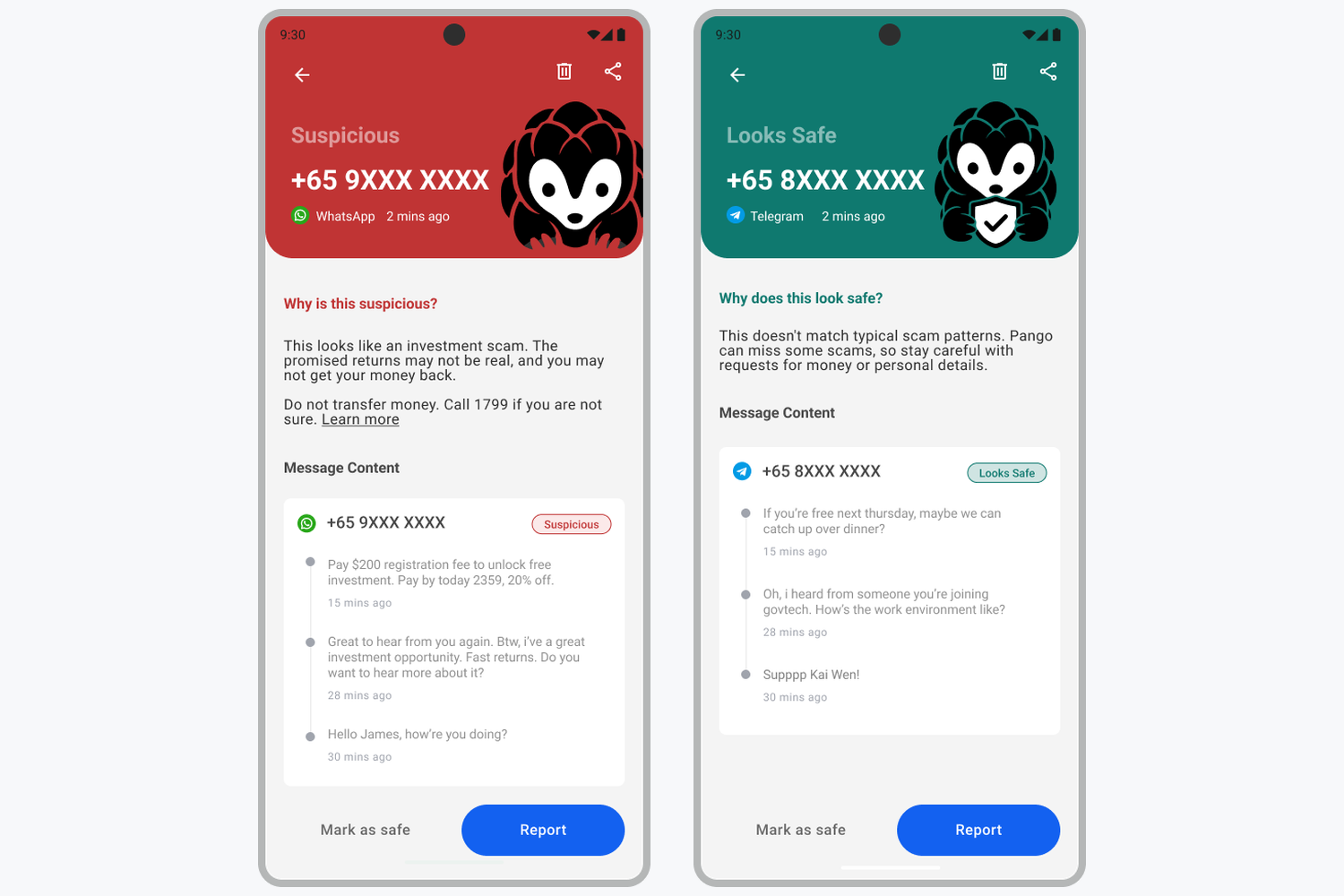
Left: a conversation marked Suspicious, with the reason and what to do. Right: a conversation marked Looks safe.
What to do next
What should I do if a message is flagged as suspicious? (opens in new tab)
Will the app warn me about someone in my contacts? (opens in new tab)
What happens if a safe message gets flagged by mistake? (opens in new tab)
Already transferred money or shared your details? Follow the steps on ScamShield: I've been scammed (opens in new tab).